
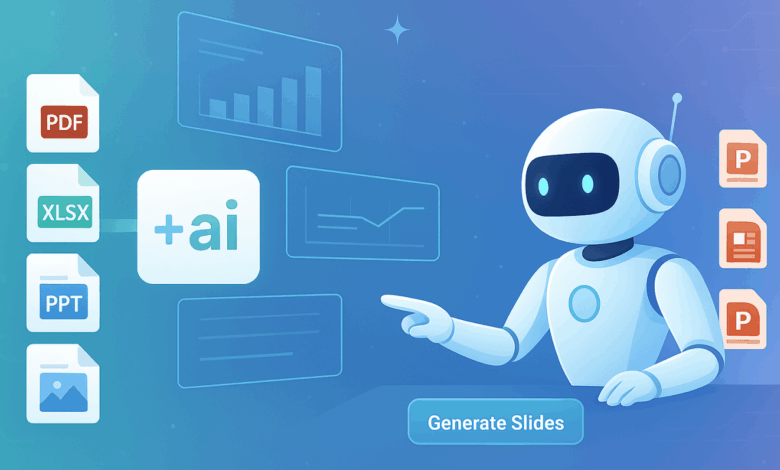
Yes, using AI to make a PPT absolutely works. It is a surprisingly effective way to generate well-structured, visually appealing presentations in a fraction of the time it would take to create them manually. However, the key is understanding its ideal role: AI is a powerful assistant that builds a fantastic first draft, not a magic button that creates a flawless final product without human input.
How Does an AI Actually Create a Presentation?
The technology behind AI presentation makers can seem complex, but the process for the user is incredibly simple. It generally follows four steps:
1. The Prompt: You start by giving the AI a command. This can be a simple topic (“Quarterly Sales Report”), a chunk of text, or an entire document you want to summarize.
2. AI Content Generation: Using powerful natural language processing, the AI analyzes your input. It determines the key themes, structures a logical narrative, and writes the draft text for each slide.
3. AI Design Engine: Simultaneously, the AI’s design engine gets to work. It selects a professional template, applies a consistent color scheme and font pairing, and sources royalty-free images and icons that are relevant to the slide’s content.
4. The Editable Output: In a matter of moments, you receive a fully editable slide deck. You can then go in to refine the text, swap images, and customize the design to your liking.
The “Wow” Factor: Where Using AI to Make PPTs Shines
The first time you use an ai to make ppt, the results can feel magical. These tools excel in several key areas that solve the most common presentation pain points.
Unbeatable Speed: The most obvious benefit is the massive amount of time you save. Creating the structure, writing the content, and designing the look of a 15-slide presentation can be done in minutes, not hours.
Design for Non-Designers: You no longer need a background in graphic design to create a beautiful presentation. The AI handles alignment, color theory, and visual hierarchy, ensuring a professional and polished result every time.
Conquering the Blank Page: Staring at an empty slide is often the hardest part of the process. AI eliminates this hurdle by providing an instant, well-organized draft that you can immediately start refining.
Consistency is Key: AI ensures that the tone of the language, the formatting, and the design style remain consistent from the first slide to the last, which is crucial for a professional presentation.
See also: Transforming Marketing Strategies with Enterprise Ad Tech Solutions
A Realistic Look: The Limitations and What AI Can’t Do (Yet)
To use these tools effectively, it’s just as important to understand their limitations. Here’s a balanced look at what AI doesn’t do.
It Needs a Human Fact-Checker: While generally accurate, AI can occasionally generate incorrect or outdated information. You are always responsible for verifying the facts and data in your presentation.
It Lacks Personal Insight: AI cannot add your unique personal anecdotes, specific company data, or deep, nuanced analysis. This human element is what elevates a good presentation to a great one.
It’s Not a Critical Thinker: An AI synthesizes information it has been trained on; it does not perform original, critical thinking. For highly creative or strategic presentations, it should be used as a starting point, not the final word.
Free Versions Have Trade-offs: Most free AI presentation makers come with certain restrictions, such as watermarks on slides, a limited number of monthly uses, or fewer advanced design options.
Putting AI to the Test: A Look at Popular Presentation Tools
The market for AI presentation software is growing fast. Tools like Gamma and Tome are known for their unique, web-native storytelling formats. However, for users who need to create classic, professional presentations efficiently, a tool like AiPPT stands out. It offers an incredibly intuitive interface and consistently produces high-quality, well-designed slides that serve as a robust foundation. Furthermore, AiPPT and many other top-tier tools allow you to export your work to traditional software like PowerPoint and Google Slides, giving you the flexibility to make final edits in a familiar environment.
Your New Presentation Workflow
Using ai to make ppt slides is not a gimmick; it’s a game-changer that fundamentally restructures the creation process for the better. It works brilliantly for generating first drafts, creating standard business reports, and helping students organize their projects. The technology is at its best when you embrace it as a collaborative partner. Let the AI handle the 80% of repetitive work—structuring, drafting, and initial design. This frees you up to focus on the crucial 20%—fact-checking, adding your unique insights, and tailoring the message perfectly to your audience. This new workflow allows you to spend less time on the mechanics of slide creation and more time on what truly matters: your message and your delivery.
Frequently Asked Questions
Can AI create a presentation from a PDF or Word document?
Yes, many advanced AI presentation tools, including AiPPT, have the functionality to upload a document and automatically convert its content into a structured presentation.
Is the content created by an AI PPT maker plagiarism-free?
The content is generated to be original. However, because AI learns from vast amounts of data, it’s always a best practice, especially in academic settings, to rewrite the content in your own words.
How much customization is possible with AI-generated slides?
After the initial generation, you have full control. You can edit all text, replace images, change colors, and rearrange layouts to fit your specific needs.
Can I use my own brand colors and logo with these tools?
Many platforms offer branding features in their premium plans. A common workflow is to generate the presentation with AI and then export it to PowerPoint or Google Slides to apply your official brand template.