
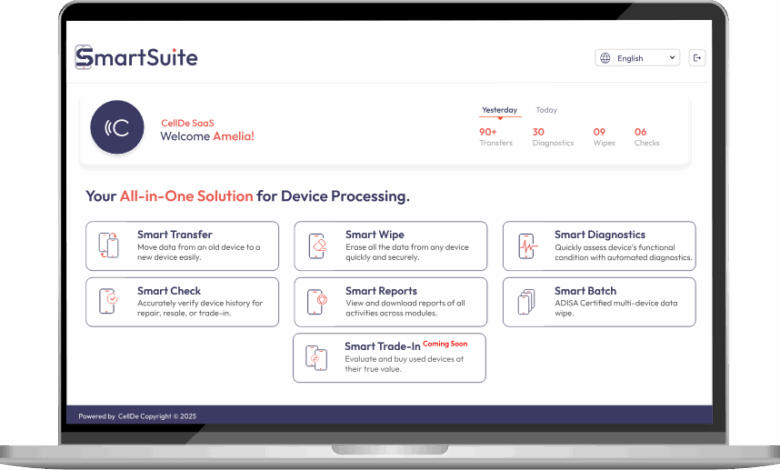
In today’s mobile-first world, customers frequently upgrade their smartphones or switch platforms, such as moving from Android to iPhone. For businesses managing trade-ins, upgrades, or resale programs, safe and efficient data transfer is critical to maintaining customer satisfaction, protecting sensitive information, and streamlining operations.
Data transfer is more than just moving files—it is about ensuring reliability, security, and accuracy throughout the process. For businesses, implementing structured workflows for device data migration can enhance operational efficiency and create a seamless experience for end-users.
What Is Mobile Data Transfer?
Mobile data transfer involves moving a user’s digital content from one device to another. This includes:
- Contacts, calendars, and emails
- Messages and call logs
- Photos, videos, and media files
- Apps and app-related data
- System settings and preferences
While seemingly simple, data transfer can be complex, particularly when migrating between platforms, such as Android to iOS. Proper planning and reliable tools are essential to ensure that data is accurately moved without loss or corruption.
Why Data Transfer Matters for Businesses
For businesses that manage devices, trade-ins, or upgrades, data transfer has multiple critical implications:
- Customer Satisfaction:
Smooth, error-free data migration improves the customer experience, reducing frustration and complaints. - Operational Efficiency:
Efficient transfer processes save time and resources, helping businesses handle device transitions smoothly, even when transfers are done individually. - Data Security:
Ensuring that sensitive information is transferred securely prevents breaches and protects both customers and businesses. - Compliance and Risk Management:
Businesses that handle customer data must adhere to privacy regulations. Secure transfer practices ensure compliance and reduce liability.
Challenges in Data Transfer
Data migration is not without challenges. Businesses may face:
- Cross-Platform Differences: Transferring data between Android and iPhone devices can be complex due to differences in operating systems and app structures.
- Volume of Devices: High volumes of upgrades or trade-ins require careful scheduling to maintain efficiency, as transfers are handled per device.
- Data Integrity Risks: Incomplete or corrupted transfers can lead to lost contacts, photos, or app data.
- Customer Expectations: End-users expect quick, seamless transfers without technical issues.
Addressing these challenges requires a structured, automated, and secure approach to data migration.
Best Practices for Safe Data Transfer
Businesses can adopt several strategies to ensure data transfer is safe, efficient, and reliable:
1. Use Automated Tools
Automated software solutions simplify the migration process, ensuring consistency across devices. Key benefits include:
- Reduced human error
- Faster processing for multiple devices
- Standardized procedures for data transfer
Automation ensures consistency and reliability even when transfers are performed one device at a time.
2. Focus on Security
Data security should be the top priority during transfers. Businesses should:
- Encrypt data during migration to prevent unauthorized access
- Use certified tools to handle sensitive information
- Ensure that transferred data is verified for accuracy and completeness
Secure transfer practices protect both the customer and the organization from potential breaches or compliance violations.
3. Plan for Cross-Platform Compatibility
Migrating data between different operating systems requires careful handling. Best practices include:
- Using software that supports Android-to-iPhone and iPhone-to-Android migration
- Mapping data fields accurately to ensure contacts, messages, and settings transfer correctly
- Testing migration workflows to detect and resolve compatibility issues
By addressing platform differences proactively, businesses can provide a seamless user experience.
4. Minimize Downtime
Time is critical for end-users upgrading or switching devices. Businesses should aim to:
- Complete transfers quickly without compromising data integrity
- Offer step-by-step guidance or automated solutions for end-users
- Reduce the waiting period between old device return and new device setup
Efficient processes enhance satisfaction and encourage repeat engagement with trade-in or upgrade programs.
5. Verify Transfer Accuracy
After migration, businesses should verify that:
- All contacts, messages, and media files are intact
- Apps and app data function correctly
- System settings are correctly applied on the new device
Verification ensures reliability, reduces errors, and maintains customer trust.
See also: Transforming Marketing Strategies with Enterprise Ad Tech Solutions
How Data Transfer Supports Business Operations
Structured data transfer processes offer several operational advantages:
- Integration with Device Lifecycle Management: Transfers can be linked to diagnostics, secure data erasure, and trade-in workflows, streamlining operations.
- Reporting and Analytics: Track data transfer success rates, errors, and trends to improve workflow performance.
By connecting data transfer to broader device management practices, businesses can maximize efficiency and reduce operational risks.
Data Transfer and Customer Experience
A smooth data transfer is more than a technical task—it’s an experience that reflects on the business. Customers expect:
- Accuracy: No missing files or corrupted data
- Speed: Fast migration while maintaining accuracy for each device
- Ease: Minimal manual effort on their part
- Security: Protection of sensitive personal information
Providing a reliable transfer experience builds trust, increases loyalty, and encourages customers to participate in trade-in or upgrade programs repeatedly.
Common Mistakes to Avoid
Businesses should be aware of common pitfalls in mobile data transfer:
- Skipping Verification Steps: Not checking that all data migrated successfully can lead to errors.
- Ignoring Cross-Platform Issues: Failing to account for Android/iOS differences can cause data loss.
- Neglecting Security Measures: Unencrypted transfers put sensitive data at risk.
- Overloading Staff with Manual Processes: Manual transfers are time-consuming and prone to mistakes.
Avoiding these mistakes ensures efficiency, security, and customer satisfaction throughout the transfer process.
Leveraging Technology for Efficient Transfers
Modern software solutions allow businesses to:
- Automate diagnostics and pre-transfer checks
- Securely migrate data between platforms
- Generate reports on device condition and transfer success
- Integrate data transfer with setup, secure erasure, and trade-in workflows
These capabilities are particularly valuable for businesses managing large-scale device transfers or trade-in and upgrade programs.
Conclusion
Safe and efficient data transfer is a critical component of modern mobile device management. For businesses handling trade-ins, upgrades, or resale programs, a structured approach ensures:
- Data integrity and security
- Seamless customer experiences
- Operational efficiency and scalability
- Compliance with privacy and security standards
By adopting automated tools, focusing on cross-platform compatibility, and verifying transfer accuracy, businesses can streamline workflows, enhance customer satisfaction, and maximize device value.
Data transfer is more than moving files—it’s a strategic business process that safeguards information, optimizes operations, and supports a positive experience for customers. Implementing best practices for mobile data transfer allows businesses to stay competitive in a rapidly evolving digital landscape.